How to Stop Sharing a USB Device
Important! If you stop sharing a device while USB Redirector RDP Edition is in auto-sharing mode, the device will be added to Exclusion List to prevent immediate automatic re-sharing. For more information see Features - Auto-sharing of USB Devices and How to Remove USB Device From Exclusion List.
Follow the steps in the picture below to stop sharing a USB device:
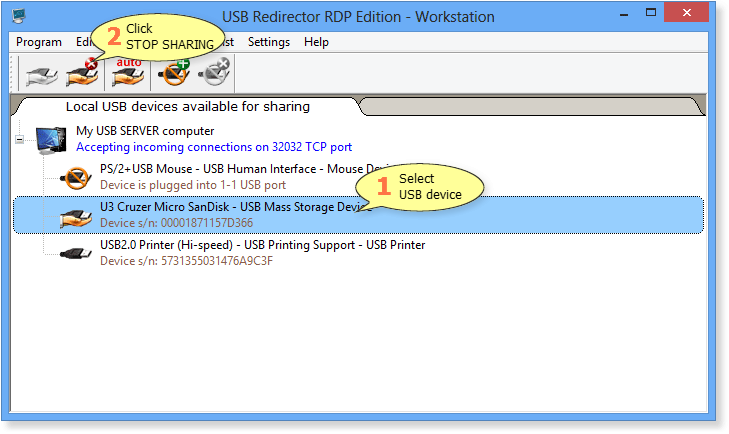
If it is necessary you even can stop sharing those shared USB devices that are connected to the remote computers at the moment!
After clicking Stop Sharing button, USB Redirector RDP Edition will begin unsharing process. This process may take a few seconds, depending on the device model and its current state.