How to Add USB Device to Exclusion List
If you wish to prevent connection of a particular USB device either manually or in auto-connection mode you can add it to Exclusion List.
When USB device is in the Exclusion List, you can not connect it until it is removed from Exclusion List.
Follow steps in the picture below to add a USB device to Exclusion List:
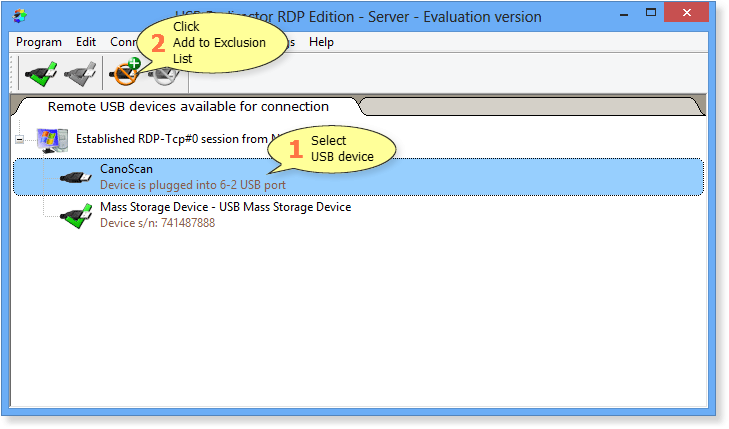
Alternatively, you can use right-click menu or select menu Exclusion List > Add USB Device to Exclusion List.