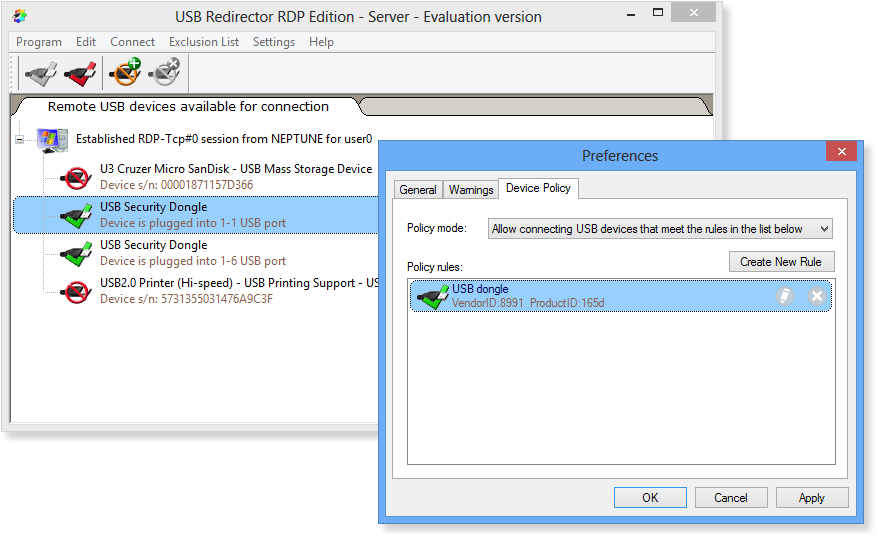
Features - Device Policy
Device Policy is extremely powerful feature that helps to control which USB devices or USB device classes are allowed to be shared (on workstation) or connected (on server). Device Policy consists of a set of rules and supports two modes of operation. Depending on the policy mode, USB Redirector RDP Edition will either allow or deny redirection of the devices that match the rules.
Device Policy rule consists of a set of USB identifiers, such as Vendor ID, Product ID, Device Class, Device Subclass, Device Protocol. They can be specified in any combination. For example, it is possible to match USB devices by their Device Class only or by Vendor ID and Product ID combination.
You can add, remove and edit Device Policy rules. See the following sections for more information:
•How to Add Device Policy Rule
•How to Remove Device Policy Rule
•How to Edit Device Policy Rule
Examples of Device Policy in action
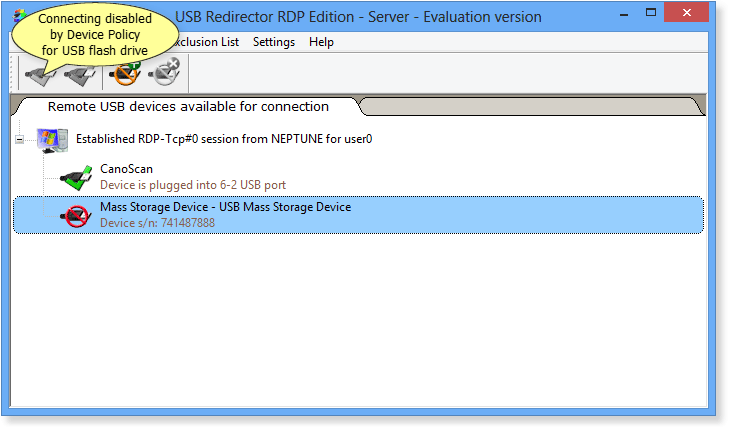
The screenshot below shows a case when connecting of USB Mass Storage devices (Class=08) has been blocked via Device Policy:
The screenshot below shows a case when Device Policy allows connecting of USB-Serial adapters only, while blocking all other USB devices: